
National Parks: Passport Guide
Code200Travel & Local
3.938.00 Reviews
- Version
- 1.32.0
- Installs
- 10.00K
- Age Rating
- Everyone
Screenshots
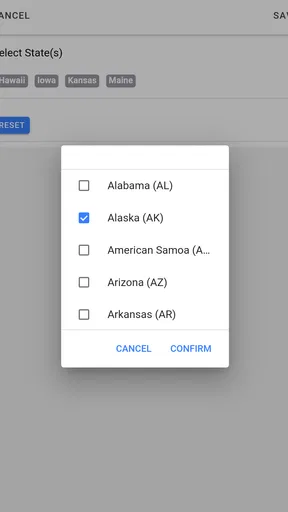
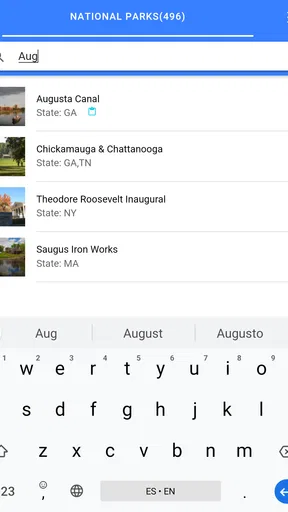
Our Review of National Parks: Passport Guide
 Analysis by Appyee
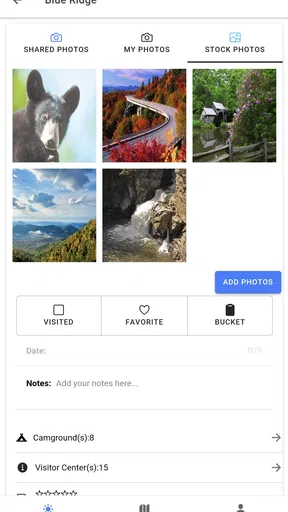
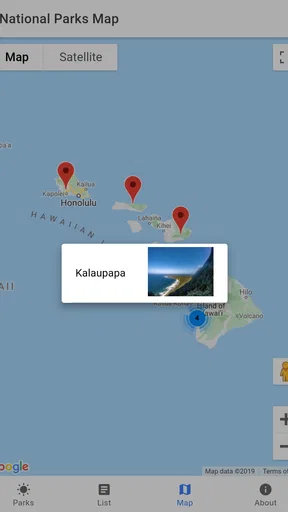
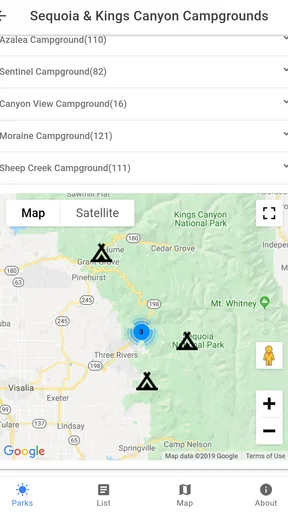
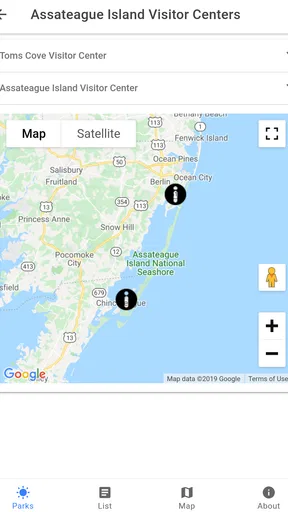
I like travel apps that solve a real planning problem instead of trying to replace every other tool on my phone. National Parks: Passport Guide, developed by Code200, takes a narrower and more useful approach: it gives me a digital way to organize national park visits, explore trip information, and look for campsites. That focus makes it especially appealing to people who want a simple park-by-park companion rather than a broad travel booking service.
After spending time with it, my impression is that it works best as a personal planning and memory tool. I can use it before a trip to decide which parks deserve attention, during preparation to collect practical details, and afterward to keep a record of places I have visited. It is free to download, although it includes optional in-app purchases ranging from $1.99 to $6.99 per item. The app is rated for Everyone, so its subject matter is suitable for general family use.
Its current version is 1.32.0, and it supports devices running Android 6.0 or later. The app has passed 10K+ installs and holds an average rating of 3.9 from 66 ratings, with 38 written reviews. Those figures suggest a modest but established audience rather than a huge travel platform. I would approach it as a specialized companion for national park fans, not as my only source of navigation, reservations, or emergency information.
How National Parks: Passport Guide feels in real travel use
In real travel use, I find a park guide most helpful when it supports the decisions around a trip without pretending to replace navigation or official updates. I’d use this one to shape a shortlist and keep a visit record, then build a simple handoff to the tools I trust for the drive and final checks. That makes the next question practical: what should I expect when browsing parks on an ordinary planning day?
Speed expectations when browsing parks
The first thing I notice with an app like this is whether it lets me move from curiosity to a useful plan without getting in the way. National Parks: Passport Guide is built around a fairly clear idea: browse parks, inspect information, keep track of visits, and use campsite details when shaping a trip. That focused purpose is helpful because I am not forced to sort through hotel deals, restaurant promotions, flights, or unrelated attractions before reaching the information I actually want.
For casual browsing, I would expect the experience to feel lighter than a full travel portal. Looking through a list of parks or checking a park record is a different task from loading a map-heavy navigation service. That distinction matters on an older phone or when I am using the app as a quick reference while planning at a kitchen table. It is not trying to be a complete replacement for a map application, and that narrower scope can make the interface feel less demanding.
My preferred workflow is to start with the park list before opening a separate navigation app. I can use this app to narrow down the places that interest me, note which ones I have already visited, and investigate camping possibilities. Only after that would I switch to a mapping or booking service for route timing, live road conditions, reservations, or turn-by-turn directions. This division of labor prevents me from expecting a passport-style app to perform jobs it was not designed to handle.
A useful tip is to do the exploratory work before leaving home. I would not wait until I am standing at a trailhead with weak reception and a nearly empty battery to decide what I want to see. A short planning session lets me identify the parks and campsite information I may need, then keep a separate offline-friendly navigation option ready for the journey itself. The app is most valuable as a preparation tool, not as my sole field instrument.
What happens during heavy-use moments
The busiest moment for me would be a long weekend when I am comparing several parks, checking camping options, and updating my visit record in one sitting. That is where a focused app can be more comfortable than a general travel platform. I am looking for park information, not trying to manage an entire holiday itinerary with flights, lodging, dining, and activities all mixed together.
There is also a social side to this use. A family planning a road trip could browse possible stops together, while one person checks campsite information and another keeps track of previously visited locations. The digital passport element gives the trip a sense of continuity. Instead of treating every park as a one-off search result, I can build a personal record of where I have been and use that record to shape future trips.
One non-obvious advantage is that the visit-tracking function can change how I plan repeat travel. I may initially choose parks simply because they are nearby, but after recording several visits I can spot gaps in my own travel history. That makes the app useful not only for a single vacation but also for a longer-term goal, such as gradually exploring more national parks over multiple seasons.
At the same time, heavy use exposes the app’s boundaries. When I am comparing campsite options, I still need to verify practical details through official park sources or reservation services before committing. A campsite listing can help me decide where to investigate, but it should not automatically be treated as confirmation of availability, opening conditions, access restrictions, or current rules. For those decisions, the official source remains the safer final check.
I would also avoid opening several information-heavy travel tools at once on an older device. Even when this app itself is reasonably manageable, switching repeatedly between a park guide, mapping software, browser tabs, and reservation pages can make the whole phone feel sluggish. Closing unused apps and doing the research in stages is a more dependable workflow than expecting one device to juggle every travel task continuously.
Reliability and the role of a second source
Reliability in a travel app means more than whether it launches. I want the information to be easy to interpret, the visit record to remain useful over time, and the app to behave predictably when I return to it after a break. National Parks: Passport Guide has a clear identity, which helps. Its purpose is not hidden behind a complicated booking funnel, and the combination of park information, campsite discovery, and visit tracking gives me a straightforward reason to come back.
Still, I would treat it as a companion rather than an official authority. Park conditions can change quickly because of weather, maintenance, fires, seasonal access, road closures, or local restrictions. A digital guide can help me organize questions and possibilities, but it should not replace checking current notices before departure. This is especially important when a campsite or remote destination is central to the trip.
My practical reliability routine would be simple. Before leaving, I would use the app to shortlist parks and camping areas, then confirm the important details through the relevant official channel. I would also keep directions, reservation references, and emergency information available separately. That approach does not reduce the app’s usefulness; it places it in the right part of the travel process.
The visit log deserves a little attention as well. A passport feature is only valuable if I use it consistently. I would update it soon after each visit rather than trusting myself to remember several parks at the end of a long road trip. This creates a more accurate personal record and makes the tool more rewarding over time. If I only open the app when I am already traveling, I lose much of its long-term benefit.
Device constraints, storage habits, and battery expectations
Because the minimum operating system is Android 6.0, the app is accessible to people using older compatible phones. That is welcome for travelers who keep a spare device in the car or do not upgrade frequently. It also means I would be realistic about the overall experience on aging hardware. A phone that struggles with modern browsers, maps, or background tasks may still run a focused guide acceptably, but the complete travel setup can remain demanding.
I would pay attention to battery use during a trip, particularly if I am also running navigation, taking photographs, using mobile data, and checking messages. The app’s travel purpose does not make it a substitute for a power bank. My advice is to research before driving, charge the phone fully, and avoid leaving several travel apps active when they are not needed. The biggest drain may come from the wider travel workflow rather than from this guide alone.
Storage is another practical consideration. A digital passport and park reference tool can be convenient, but I would not assume it contains everything I need for offline travel. Before heading into an area with unreliable reception, I would prepare maps and essential documents through the tools intended for those jobs. This app can support the planning layer, while downloaded navigation and official trip information cover the more critical field layer.
There is a useful trade-off here. A broad travel application may offer more functions in one place, but that breadth can also mean more screens, more background activity, and more clutter. National Parks: Passport Guide is attractive precisely because it concentrates on national parks. If my device is limited or my trip is centered on park exploration, that specialization may be preferable to carrying a large all-purpose travel platform.
Who will get the most from it?
I would recommend it most strongly to people who visit national parks regularly, families building a shared travel tradition, and travelers who enjoy collecting a personal record of destinations. It is also a good fit for someone who wants campsite discovery connected to park research without starting in a general booking app. The Everyone age rating makes it easy to include younger family members in the browsing and trip-planning process.
It can be particularly useful for a road-trip planner who has several possible parks but has not settled on a route. I might begin by reviewing parks that fit the broad region, then mark the places that seem worth a stop, compare camping possibilities, and check my existing visit history to avoid overlooking a personal favorite. After that, I would use maps and official park channels to finalize distances, conditions, and arrangements.
Another strong use case is trip reflection. Many travel apps are designed only to get me somewhere or sell me something. The passport angle gives this one a longer life. Months after a trip, I can return to my record and use it as a starting point for the next adventure. That is a small feature conceptually, but it changes the app from a disposable search tool into a personal travel archive.
When another option is better
I would skip this app if I want one service to handle live navigation, reservations, detailed trail logistics, lodging, and a complete itinerary. A mapping application is better for driving directions and location context. An official park service source is better for current alerts, regulations, closures, and authoritative planning information. A reservation platform is better when the main task is securing a campsite rather than discovering possibilities.
I would also hesitate if I rarely visit national parks. The app’s specialization is its main strength, but it can feel unnecessary for someone taking one occasional sightseeing trip. In that situation, a general travel planner combined with the park’s official resources may be simpler. The digital passport becomes more worthwhile when I expect to return to the subject repeatedly.
There is also a distinction between inspiration and precision. This app can help me decide which parks deserve research and can make my travel history more engaging. It should not be the only place I look for time-sensitive operational details. Travelers who prefer highly structured itineraries, exact booking workflows, or live outdoor conditions may find that other tools do more of the work they need.
Cost, optional purchases, and the overall value
The free entry point makes it easy to test the basic experience before deciding whether it belongs in my regular travel routine. Optional purchases cost between $1.99 and $6.99 per item, so I would look carefully at what each purchase adds and whether it improves my own workflow. I would not buy anything simply because I enjoy the idea of collecting parks; I would first confirm that the extra material is useful for the way I plan trips.
For me, the value is less about replacing several paid services and more about combining three small needs in one focused place: park discovery, campsite-oriented research, and a visit record. If those three functions match my habits, the free version gives me a low-risk starting point. If I only need directions or current alerts, spending time in this app may not provide enough benefit to justify adding another tool to my travel kit.
The average rating of 3.9 indicates a generally mixed-to-positive reception rather than universal approval. I read that as a reason to keep expectations practical. This is a niche guide with a clear purpose, not a polished all-in-one travel command center. Its success depends heavily on whether I value the passport and park-focused workflow.
My performance verdict after using it as a travel companion
National Parks: Passport Guide feels best when I use it in short, deliberate sessions: browse parks, investigate campsite possibilities, update my personal record, and then move to the appropriate official or navigation tool for final decisions. That workflow keeps the app responsive in my routine, avoids overloading it with responsibilities, and makes its specialized design work in its favor.
Its main performance advantage is conceptual efficiency. I am not searching through unrelated travel categories to reach national park information, and I am not treating a booking service as a personal travel journal. Its main limitation is equally clear: it cannot be my complete field solution. I still need dependable navigation, current official notices, and separate preparation for low-connectivity situations.
My final recommendation is positive for frequent park visitors and anyone who enjoys building a long-term record of outdoor trips. I would install it on a compatible Android device, try the free experience, and judge the optional purchases only after using the core planning workflow. If your next trip is centered on national parks and you want a digital passport that also helps organize research, this is a focused and practical addition to your travel toolkit. If you need live, authoritative, all-in-one trip management, choose a broader set of tools instead and let this app serve only the park-discovery and visit-tracking role where it is strongest.
Verdict
Strengths of National Parks: Passport Guide
- Covers many U.S. national parks in one convenient guide.
- Useful park details help with trip planning and preparation.
- Passport-style tracking makes visiting parks more engaging.
- Can help travelers discover lesser-known parks and sites.
- Compact reference is easier to use than carrying printed guides.
Limitations of National Parks: Passport Guide
- Coverage may not replace official park websites for current alerts.
- Some information may become outdated after park policy changes.
- Outdoor navigation features may be limited compared with dedicated map apps.
- Requires checking individual park rules, fees, and seasonal conditions.
- The interface may feel basic for users seeking detailed travel planning tools.
Similar Picks in This Category
View All
Google Maps
Google LLC3.4

Google Maps Go
Google LLC4.1

Booking.com: Hotels & Travel
Booking.com Hotels & Vacation Rentals4.8

Google Earth
Google LLC3.8

Skyscanner Flights Hotels Cars
Skyscanner Ltd4.8

trivago: Compare hotel prices
trivago N.V.4.4
Frequently Asked Questions
What is National Parks: Passport Guide?
National Parks: Passport Guide is a travel companion designed to help users explore and learn about national parks. It can provide park information, points of interest, planning details, and useful background about destinations. Before downloading, remember that the exact features may vary by platform and version, so check the current app listing to confirm what is included for Android or iOS.
Can National Parks: Passport Guide be used without an internet connection?
Offline availability is an important consideration for national park trips because mobile coverage can be limited in remote areas. The app may allow some information, saved content, or park details to be accessed without a connection, but users should not assume that every map, update, or feature works offline. Download essential information before leaving and carry a physical backup when possible.
Does the app include maps, trails, and navigation tools?
National Parks: Passport Guide may include maps and location-based information to help visitors understand park layouts, attractions, and possible routes. However, it should not automatically replace official park maps, trail signs, or a dedicated GPS navigation tool. Conditions can change because of closures, weather, fires, or construction, so always verify routes and safety notices with the relevant park authority.
Is National Parks: Passport Guide useful for planning a complete park visit?
The app can be useful for researching destinations, identifying notable places, and organizing ideas before a trip. It may help first-time visitors become familiar with parks, but it should be treated as a supplementary guide rather than the only planning source. Confirm opening hours, permits, reservations, entrance fees, accessibility information, camping rules, and current alerts through official park websites.
Is National Parks: Passport Guide free to download and suitable for all travelers?
The download price and available features depend on the store listing, region, and app version. Some functions may be free, while additional content or services could require payment, subscriptions, or in-app purchases. The app can suit casual travelers, families, and national park enthusiasts, but users should review permissions, privacy details, supported devices, and recent ratings before installing it.
